Coming soon for AV, low-voltage and security crews
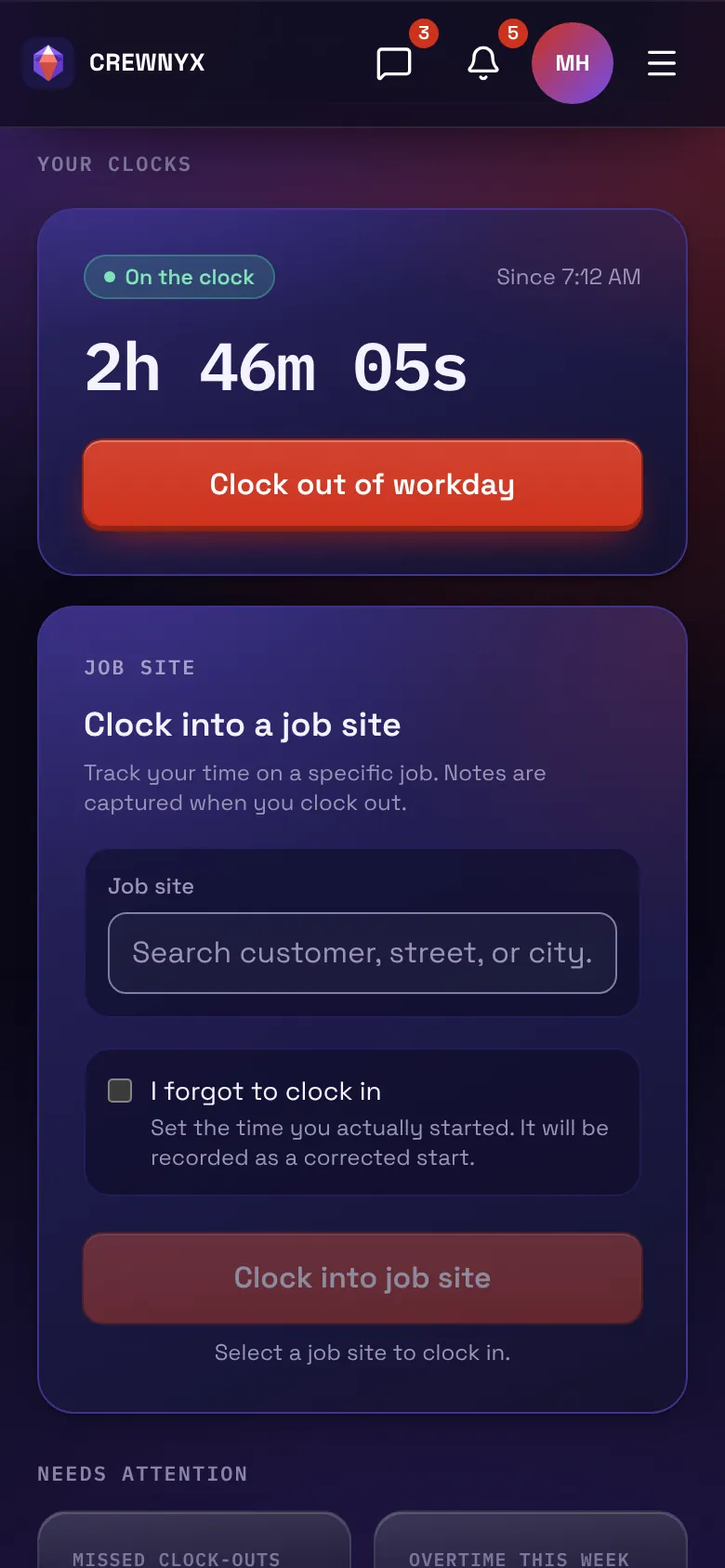
The Crewnyx app on a phone: on the clock since 7:12 AM, 2 hours 46 minutes, with the Clock out of workday key and a job site to clock into.
Clocked in from the drivewayNo signal? With Crewnyx open, it saves and uploads later. The office sees it liveWho's working, and at which job.

Run the whole crew from one app.

Your crew clocks in from their phone, and the office sees who's working, where, and the hours ready for payroll.

Your crew clocks in from their phone, and the office sees who's working, where, and the hours ready for payroll.

One day, one crew

Follow a crew through the day.

Marco is an install tech. Scroll, and his van drives the day: the shop, two jobs and a parts run, with his workday clock up top. Each stop shows what Crewnyx does there, on his phone and in the office.

The crew's town at dusk, rendered as a model: the van home at the shop and the day's route lit through the streets, from the shop to Riverside Studio, the parts store and Lakeshore.
7:30 AM · The shop

A heads-up before the first job

The reminder lands an hour before the job, with the start time.

Schedule remindersPro and BusinessOnce the phone apps are out
Marco's phone
Crewnyxnow
Your assignment starts at 8:30 AM

Riverside Studio install

7:58 AM · The shop

Clocked in. Today's jobs are right there.

One click in the app starts the workday, and the day's assigned jobs are there with the office's notes for each.

AssignmentsPro and Business
Marco's phone
Hi, MarcoFri, Oct 31
On the clocksince 7:58 AM

Today's jobs

  1. Riverside StudioInstallRack build. Label both ends of every run.
  2. LakeshoreService callDock Wi-Fi keeps dropping. Grab a weatherproof coupler on the way.
8:04 AM · On the road

The van on the office's map

With a tracker in the van, the office sees where it is and where it stopped.

Van trackingBusinessBouncie
8:26 AM · Riverside Studio

Clocked in at the job

One click in the app starts the job's own clock, stamped with where it happened.

Location stamps
Marco's phone
On the jobSince 8:26 AM
Riverside Studio
InstallLocation stamped
Workdaysince 7:58 AM
10:40 AM · At the rack

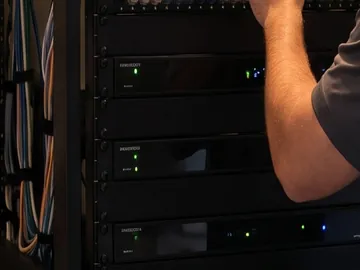
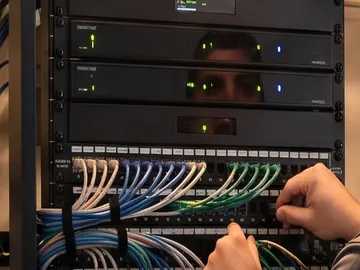
Notes and photos where the work happens

The note and photos go on the job at the rack, not from memory at day's end.

Job notes and photos
Marco's phone
Job note · Riverside Studio10:40 AM
Rack built, eight runs terminated and labeled at both ends. Photos of the patch panel attached.
Job costingPro and Business

Riverside Studio so far: $1,520 labor, $1,240 materials, $86 in receipts. Job cost $2,846.

12:21 PM · Parts store

The part for the next job

On the way to Lakeshore, the receipt is snapped in the lot and filed to that job.

Receipt scanningPro and Business
Marco's phone
Parts supply12:21 PM
Cat6 outdoor patch cable, 25 ft
29.95
Weatherproof RJ45 coupler
14.96
Tax
2.92
Total
$47.83
Company card •••• 3108Lakeshore
12:47 PM · Lakeshore

Every job gets its own hours

A second job gets a second clock. The morning's install closed at 3h 26m.

Hours per job
Marco's phone
Today's jobsWorkday since 7:58 AM
  • Riverside StudioInstall3h 26m
  • LakeshoreService callsince 12:47 PM
Repeating assignmentsPro and Business

Lakeshore: a dock Wi-Fi check every 6 months, 4 visits on the schedule.

Labor budgetEvery plan

Lakeshore: 3h 28m of the 4h sold, 32m left.

Vehicle mileageBusiness

The van's 31.4 miles on today's route, logged on their own from its tracker.

4:41 PM · Back at the shop

Clocked out. 8h 13m paid.

Hours, notes and photos are in the office before the van is parked.

Timesheets
In the office
WorkdayClocked out
7:58 AM4:41 PM
Unpaid lunch
−30m
2 jobs · 1 note · 2 photos · 1 receipt
5:40 PM · The office

The whole crew's week, added up

Every person's regular hours and overtime for the pay period, worked out from their punches. Nobody adds up timesheets by hand.

Weekly hours and overtime
In the office
TimesheetsOct 27 – Nov 2
CrewRegularOvertimeTotal
Marco40h 00m1h 05m41h 05m
Dana38h 30m–38h 30m
Luis40h 00m3h 15m43h 15m
Tess32h 00m–32h 00m
4 people150h 30m4h 20m154h 50m
Pay period lockedReady to export
Payday

Hours, ready for payroll

Lock the pay period, check overtime, and export to your payroll service.

Payroll exportGustoQuickBooksADPPaycor
In the office

See who's working, and where, without a phone call.

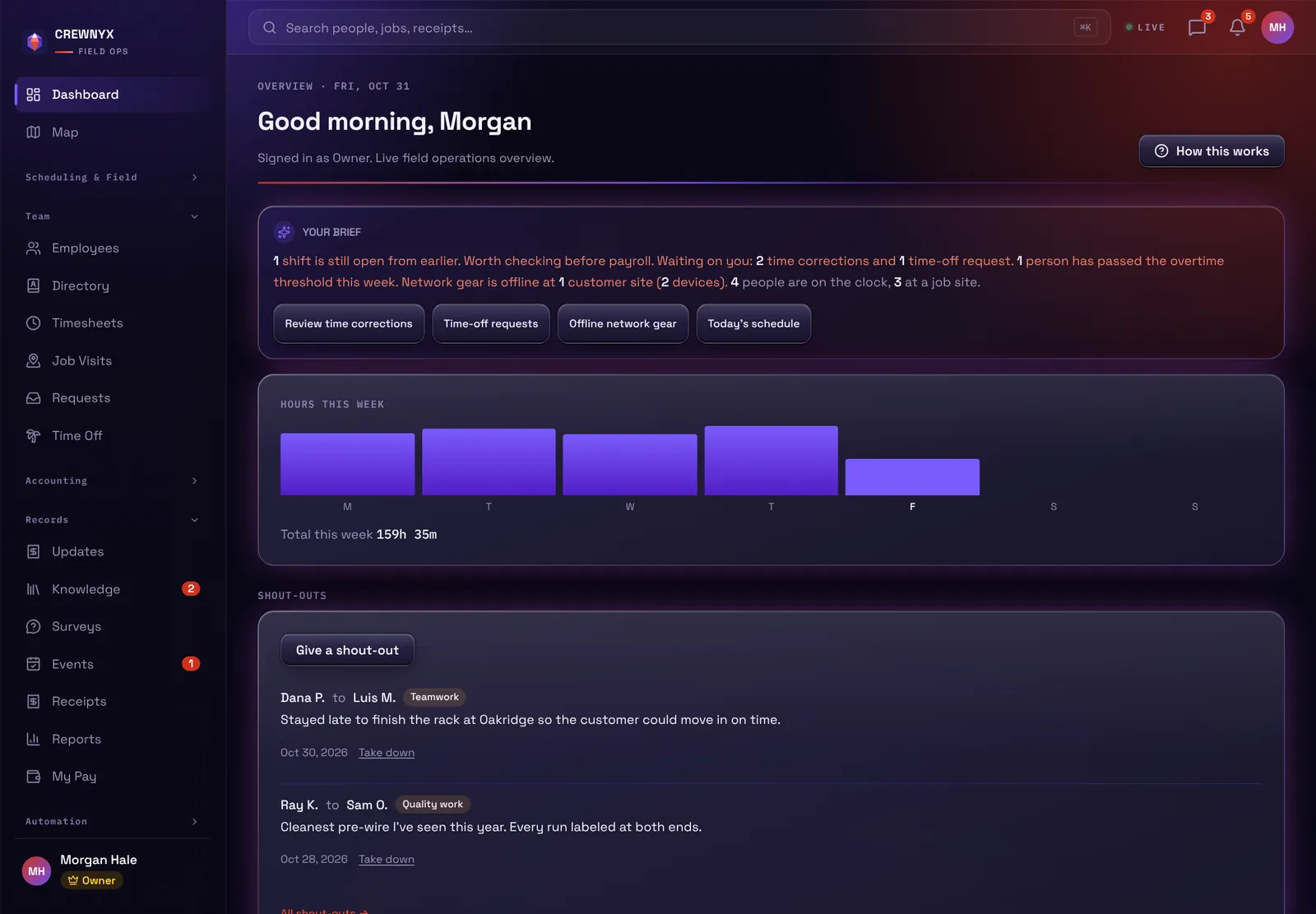
Every morning starts with a short brief: what's still open, what's waiting on you, who's on the clock and where.
More on timesheets and payroll

The Crewnyx dashboard with sample people: the morning brief, hours this week as a bar chart, and shout-outs from the crew.
Hours this week159h 35m
On the clock4
The schedule

Plan the week. The crew's phones keep up.

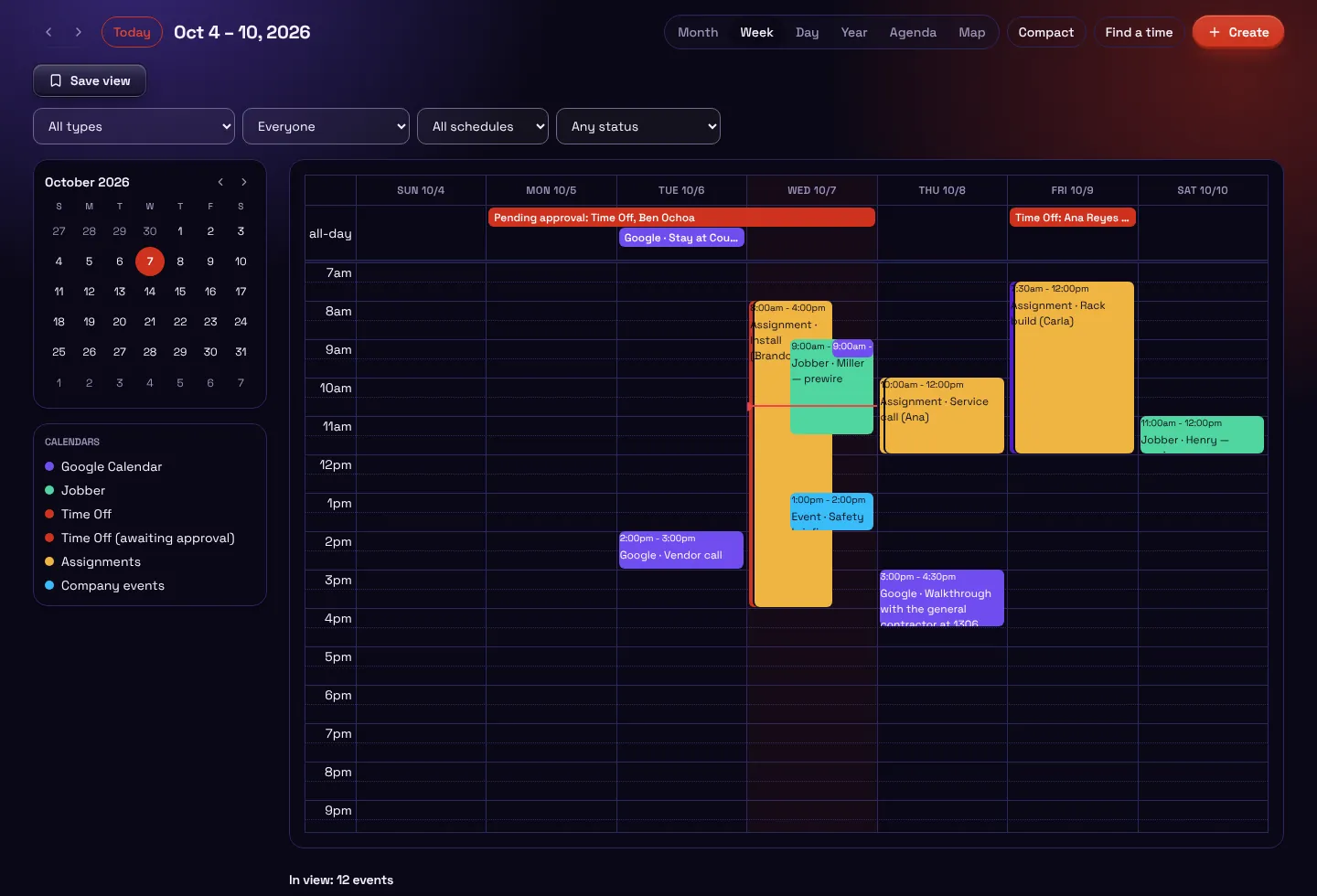
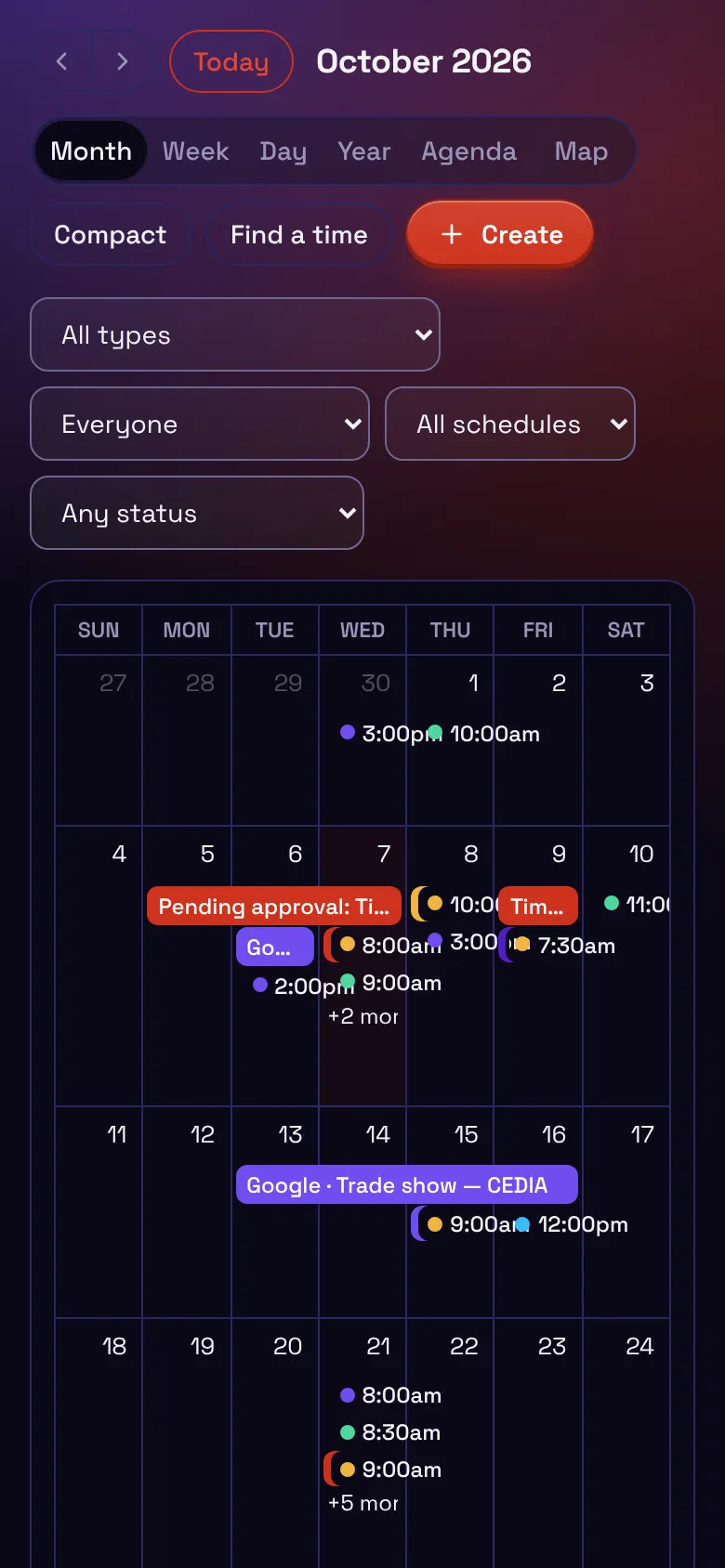
One calendar for the whole company: events on every plan, assignments and time off on Pro and Business, and Google Calendar and Jobber visits on Business.
More on scheduling

The Crewnyx schedule for one week with sample jobs: assignments, Google Calendar events, Jobber visits and time off, color by source.
The same schedule on a phone, as a month with the day's jobs.
Security

Your company's data stays your company's.

Kept apart by company

Two-factor for everyone

Encrypted in transit and at rest

Every change on the record

How Crewnyx keeps your data safe

Who makes it

Built by a working field tech.

Started by a working AV and low-voltage tech who wanted one app that fits how crews really work. Questions go to a real person at support@crewnyx.com.

How Crewnyx started

Get your crew in early.

Crewnyx opens to new crews soon. Early access gets you in first, and we'll tell you the moment it's ready.